AI Agent for SOC 2: A Safe Headless Workflow
Use an AI agent for SOC 2 work with model discovery, validated file changes, Git review, human approval gates, and clear limits on audit judgment.
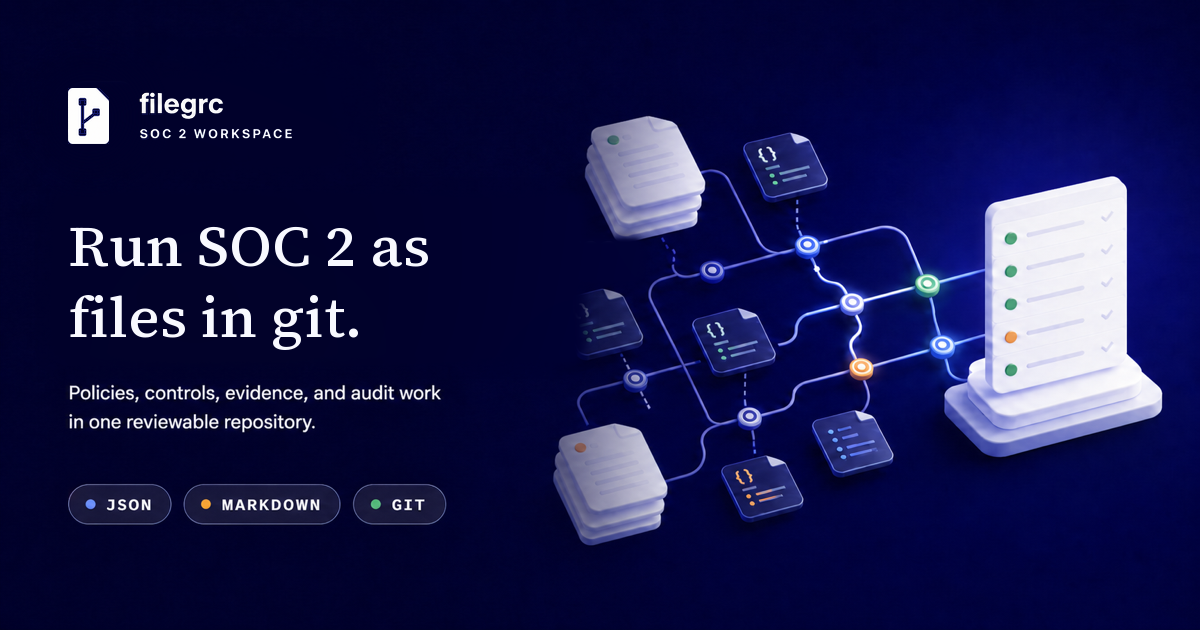
An AI agent for SOC 2 can inspect program records, find due work, prepare validated file changes, and verify the result. It should work from reviewed facts and stop before it invents an approval, control result, evidence, date, management conclusion, or audit judgment. A safe workflow uses one authoritative set of files, model-driven commands, atomic mutations, Git review, and explicit human gates. The CPA firm still selects samples, tests controls, evaluates exceptions, decides whether evidence is sufficient, and issues the report.
TL;DR
- Give the agent read access first. Let it discover the data model, current records, valid relationships, and derived work before it proposes a change.
- Let it draft or apply one validated mutation at a time, using facts supplied or reviewed by the responsible person.
- Require human action for approvals, attestations, management decisions, sensitive evidence, exceptions, and changes that affect scope.
- Review the Git diff and run validation before committing. CLI writes should not create commits on their own.
- Use the same model and domain rules in the CLI and browser so an agent cannot bypass a readiness check by editing files directly.
What an AI agent for SOC 2 can safely do
An agent is useful when the task has a discoverable model, inspectable inputs, and a result that software can validate. That covers much of the record work around a SOC 2 program:
- find the next incomplete program step;
- identify records with missing or invalid fields;
- inspect the allowed targets for a relationship;
- scaffold a new record without guessing its shape;
- prepare a change from source facts supplied by a person;
- prepare scheduled work from a reviewed population and conclusion;
- create an event checklist after a person confirms that the event occurred;
- run program and audit readiness checks; and
- prepare a revision-bound evidence packet for management review.
This use case differs from getting an AI product through SOC 2. Search results for AI and SOC 2 often focus on model access, agent identities, prompt logs, and the security of AI features. Those are product-scope questions. Here, the AI agent is the operator of a file-based GRC workflow.
The SOC 2 compliance-as-code guide explains the record model under this workflow. The agent adds speed, but the model, files, validation, and review path establish what it may do.
The SOC 2 CLI guide maps the terminal commands by read, write, operating, readiness, and audit stage.
Set four authority levels before the first run
Write down which actions the agent can take. The boundary should follow the meaning of the record, not whether the command is technically available.
| Authority level | Safe examples | Required control |
|---|---|---|
| Read and derive | List records, inspect references, calculate due work, report readiness | Read-only workspace access |
| Draft | Scaffold a record, prepare a mutation, propose Markdown, summarize a Git diff | A person checks every source fact and proposed change |
| Write reviewed facts | Apply an approved mutation, record a confirmed event, attach an approved file | Validation, narrow write scope, and Git review |
| Human or CPA judgment | Approve policy, attest, accept risk, judge evidence, select samples, opine | Named person or independent CPA firm performs it |
NIST’s AI Risk Management Framework Core calls for organizations to define roles for human-AI configurations and human oversight. For SOC 2 work, the practical version is a short allowlist of agent actions plus named people for the decisions it must stop and request.
Do not use a broad instruction such as “make us audit ready.” It hides the facts the agent may supply on its own. Give it a bounded job instead: “inspect the current access review obligation, prepare the occurrence from this reviewed export and conclusion, show the diff, and do not commit.”
Start every run with discovery
A headless agent should not rely on remembered field names or an old example. It should read the repository guide and ask the current model what exists.
sed -n '1,240p' AGENTS.md
npx filegrc program-path --next --json
npx filegrc types --json
npx filegrc guide control --json
npx filegrc list control --workflow --json
These commands answer different questions. program-path identifies the next
program stage and actions. types and guide describe the installed model.
list --workflow returns records with calculated state instead of making the
agent infer state from a status field alone.
This matters after a model upgrade. A hard-coded mutation that worked against an older workspace can omit a new relationship or use a retired field. Model discovery keeps the agent tied to the repository it is changing.
Inspect before changing
Once the agent has a specific record in scope, have it read the record, revision, and relationship candidates:
npx filegrc get control CONTROL_ID --mutation
npx filegrc references CONTROL_ID --json
npx filegrc guide control --id CONTROL_ID --json
The mutation view provides the current record and its outbound relationship IDs in the shape used by write commands. The reference view shows which other records point to it. The guide explains current checks, relationship candidates, and allowed actions.
Use this inspection step even for a one-field change. A control owner, policy binding, evidence source, or obligation may have changed since the agent last ran. An expected revision lets the write fail when another change landed after inspection.
Apply one validated mutation
For a new record, start with the model-generated scaffold:
npx filegrc scaffold control \
  --title "Quarterly access review" > control.json
Fill the scaffold only with organization facts from approved source material. Then preview it before writing:
npx filegrc preview-mutation control.json --json
npx filegrc create control.json --json
npm run validate
For an existing record, prepare a narrow mutation and retain its expected revision:
npx filegrc get control CONTROL_ID --mutation > control-update.json
# Edit reviewed fields in control-update.json.
npx filegrc preview-mutation control-update.json --json
npx filegrc update control CONTROL_ID control-update.json --json
npm run validate
A preview proves that the payload matches the model. It does not prove that the facts are true, that a control operated, or that the evidence is good enough. The person responsible for the record still checks those claims.
Keep each mutation small enough for a reviewer to understand. When several records form one required operation, use the purpose-built command that creates the full set atomically instead of a loose sequence of file edits.
Prepare recurring tasks from reviewed facts
Recurring work should begin with the calculated obligation state:
npx filegrc obligations --json
npx filegrc reconcile-obligation OBLIGATION_ID \
  --scaffold \
  --window-start 2026-07-01 > occurrence.json
The agent may fill occurrence.json after the owner supplies the completed
work, covered population, result, evidence IDs, and review details. This is a
workflow-managed record, so the generic preview-mutation command used for
ordinary CRUD is not its preview. Show the filled occurrence to the owner, then
hand the confirmed payload to the approved FileGRC obligation review flow.
Keep one occurrence when one owner, window, population rule, and reconciliation conclusion govern the work. Split it when a member needs its own owner, deadline, conclusion, or follow-up. That keeps the program record aligned with how management performed and reviewed the activity.
For a confirmed event, the agent can create the model-defined checklist:
npx filegrc trigger person-started \
  --occurred-on 2026-08-28 \
  --subject PERSON_ID \
  --title "New team member started" \
  --json
The event type, subject, and date must come from a person or authoritative source. The agent should never infer that an employee started, a security incident occurred, or a material change took effect from an ambiguous message.
Make Git review part of the workflow
FileGRC write commands change files but do not create a Git commit. That gives the reviewer a natural gate:
git status --short
git add --intent-to-add -- data/
git diff -- data/
npm run validate
The intent-to-add step makes new records visible in the diff without staging their contents. Reviewers can now see both new and modified files.
Check that the diff contains only the intended records and Markdown. Confirm IDs, owners, dates, relationships, status changes, and evidence references. Reject secrets, credentials, session data, regulated personal data, and personal data that may later require deletion.
Git records the author, commit time, message, revision, and diff. It does not replace domain dates. If a review occurred on August 27 and the record was committed on August 28, keep August 27 as the review date. The commit documents when the repository changed.
The reviewer, not the agent, decides whether the diff is ready to commit. Use branch protection or required review when the repository contains material program records or audit evidence.
Stop at human approval gates
An agent should pause when a command would assert a fact that requires assigned authority or professional judgment. Common stop points include:
- approving or activating a policy or governed document;
- signing an assertion, representation, or attestation;
- accepting a risk or approving a remediation plan;
- concluding that a control operated or an exception is resolved;
- confirming a population is complete and accurate;
- deciding that evidence supports a control;
- changing the service scope or applicable criteria; and
- selecting audit samples, evaluating exceptions, or issuing a report.
The agent can prepare the decision packet: the current record, source material, calculated checks, proposed mutation, and Git diff. It should ask the named person for the missing conclusion and record that result only after receiving it.
The SOC 2 evidence examples guide shows what useful provenance looks like. A filename or screenshot is not enough. The record should say where the evidence came from, when it was collected, which period and population it covers, and who verified it when verification is required.
Verify the final state
After the change passes review, rerun both file validation and the derived workflow checks:
npm run validate
npx filegrc program-readiness --summary --json
npx filegrc workflow --through 2026-09-30 --json
npx filegrc audit-readiness AUDIT_ID --json
npx filegrc evidence-packet --audit AUDIT_ID --preview --json
Do not turn a failed readiness check into a generic success message. Report the remaining action, the affected record, why it is ready or blocked, and the next safe command. A missing editable record is usually work someone can do now. A blocked item should name the prerequisite that prevents it from moving.
The SOC 2 audit readiness checklist explains the management checks that should pass before fieldwork. FileGRC does not report those checks as passed when scope, approved policies, implemented controls, source systems, evidence, or population work is missing.
A complete agent run
Here is the shape of a bounded run for one scheduled activity:
- Read
AGENTS.mdand the installed model guide. - Run
obligations --jsonand select the named due occurrence. - Inspect the obligation, expected revision, owner, scope, and evidence sources.
- Scaffold the occurrence for the due window.
- Fill it from the owner’s reviewed result and evidence records.
- Show the proposed facts and reconciliation conclusion to the owner.
- Hand the confirmed payload to the FileGRC obligation review flow.
- Run validation and readiness checks.
- Show the Git diff and wait for human review and commit.
The agent returns a useful result even when it cannot complete step 7. It can name the missing fact, the person who must provide it, and the command to resume afterward. It should not fill the gap with a plausible answer.
What still belongs to management and the CPA firm
Management defines the service, chooses the applicable criteria, designs and operates controls, approves policies, makes risk decisions, and takes responsibility for its description and assertions. The AICPA describes SOC 2 reporting as an examination of controls at a service organization relevant to the Trust Services Criteria. The independent CPA firm plans and performs that examination.
An agent can make the underlying records easier to find, connect, validate, and review. It cannot take responsibility for management or supply the independence and judgment of the CPA firm.
FileGRC gives an AI agent a local, model-driven interface for this work. The repository remains the source of truth, the browser and CLI use the same domain rules, and every intended change stays available for Git review. Create a workspace, give the agent a bounded task, and keep the first run read-only until its proposed output matches your program rules.
Run your SOC 2 program as files in Git.
Keep policies, controls, work, and evidence indexes in a repository your team and agents can inspect. Add optional FileGRC Autopilot email and Slack reminders to keep work moving.
Frequently asked questions
Can an AI agent run SOC 2 compliance work?
An AI agent can inspect program records, find due work, prepare validated changes, and verify the result. It should work from facts reviewed by the responsible people and stop at approvals, attestations, management conclusions, and audit judgments.
Which SOC 2 tasks can an AI agent handle?
An agent can discover record types, inspect relationship candidates, scaffold records, prepare and preview ordinary record mutations, prepare recurring reconciliations from reviewed results, trigger event checklists from confirmed events, validate the workspace, and report readiness blockers.
Which SOC 2 tasks should never be delegated to an AI agent?
Do not let an agent invent an approval, signature, attestation, control result, evidence artifact, occurrence date, management conclusion, or remediation decision. People with the assigned authority must make and review those decisions.
How does Git make an AI agent workflow safer?
Git gives reviewers the exact diff, author, commit time, message, and revision for each repository change. Domain records still need their own approval, occurrence, collection, and completion dates because those dates describe different events.
Can an AI agent replace a CPA firm for SOC 2?
No. The CPA firm plans and performs the examination, selects samples, tests controls, evaluates exceptions, decides whether evidence is sufficient and appropriate, and issues the SOC 2 report.