Own the source
Your policies, controls, risks, evidence indexes, and audit work stay as JSON and Markdown in your Git repository.
FileGRC gives a founder-led engineering team one place to adopt policies, implement controls, run recurring work, collect evidence, and prepare an audit.
npx create-filegrc@latest company-grcDon't pay tens of thousands of dollars for a set of basic create, read, update, and delete screens wrapped around data you don't control. FileGRC is open source. Your records stay in your repository, where your agent can do the routine work.
Your policies, controls, risks, evidence indexes, and audit work stay as JSON and Markdown in your Git repository.
Your agent can create records, link evidence, work the queue, run readiness checks, and prepare the audit packet.
Each browser save validates, creates one focused commit on the authoritative branch, and pushes it. The exact files, author, date, and diff stay reviewable.
FileGRC is MIT licensed and runs locally for free. Add optional paid FileGRC Autopilot when you want reminders. Source systems and the independent CPA audit remain separate.
Your program records stay in Git, not a separate hosted database. The source stays useful in a text editor, the local web app, the CLI, and CI because every interface reads and writes the same files through the same rules.
JSON holds records the engine validates, filters, and connects.
Markdown holds policies, procedures, plans, minutes, and narratives.
Git supplies authors, timestamps, revisions, diffs, and commit messages.
Use a dedicated private repository for your FileGRC workspace. The browser commits and pushes each saved program change, so a standalone repository keeps the compliance audit trail separate from application development history. Record status represents approval; Git branches do not.
policy-access-control.mdcontrol-access-review.json{
"status": "implemented",
"ownerId": "person-security",
"evidenceSourceIds": [...]
}47ebdcc · mainLet FileGRC Autopilot handle the follow-up that keeps your SOC 2 program moving. It watches the work in your repository, reminds the right owners, and escalates blocked or overdue tasks according to your policy, even when your local app is closed.
Sign in with GitHub and install the FileGRC App on your dedicated private repository. Review the repository count, then activate billing at $19.99 USD per repository each month.
Owners get email reminders for upcoming and due work. Connect Slack and confirm person links to send those reminders by DM. Route policy-selected blocked and overdue escalations to your program channel, so work that needs attention reaches the right people.
Your repository sets owners, dates, quiet hours, and notification policy. Autopilot handles reminder timing and retries; the dashboard shows delivery status. Your team still performs the work and records the result in the local FileGRC app.
Want a weekly nudge about hiring, departures, incidents, or vendor changes? Enable the optional Slack program-owner prompt. It helps you record real Policy Events in your local workspace. Starter records remain proposals, not compliance claims.
Start Autopilot Read the setup guideStart with how the company actually works. Build reliable evidence before you create the normal audit engagement.
Confirm program owners, criteria, commitments, vendors, and in-scope systems, including evidence roles and access owners.
Tailor the proposals and record real owners, separate reviewers, approval dates, and effective dates.
Replace prompts with the procedure, scope, cadence, and complete authoritative evidence sources.
Work the queue, trigger Policy Events, maintain risks, and preserve dated evidence.
Engage the CPA firm, record its agreed period, support fieldwork, and build the packet.
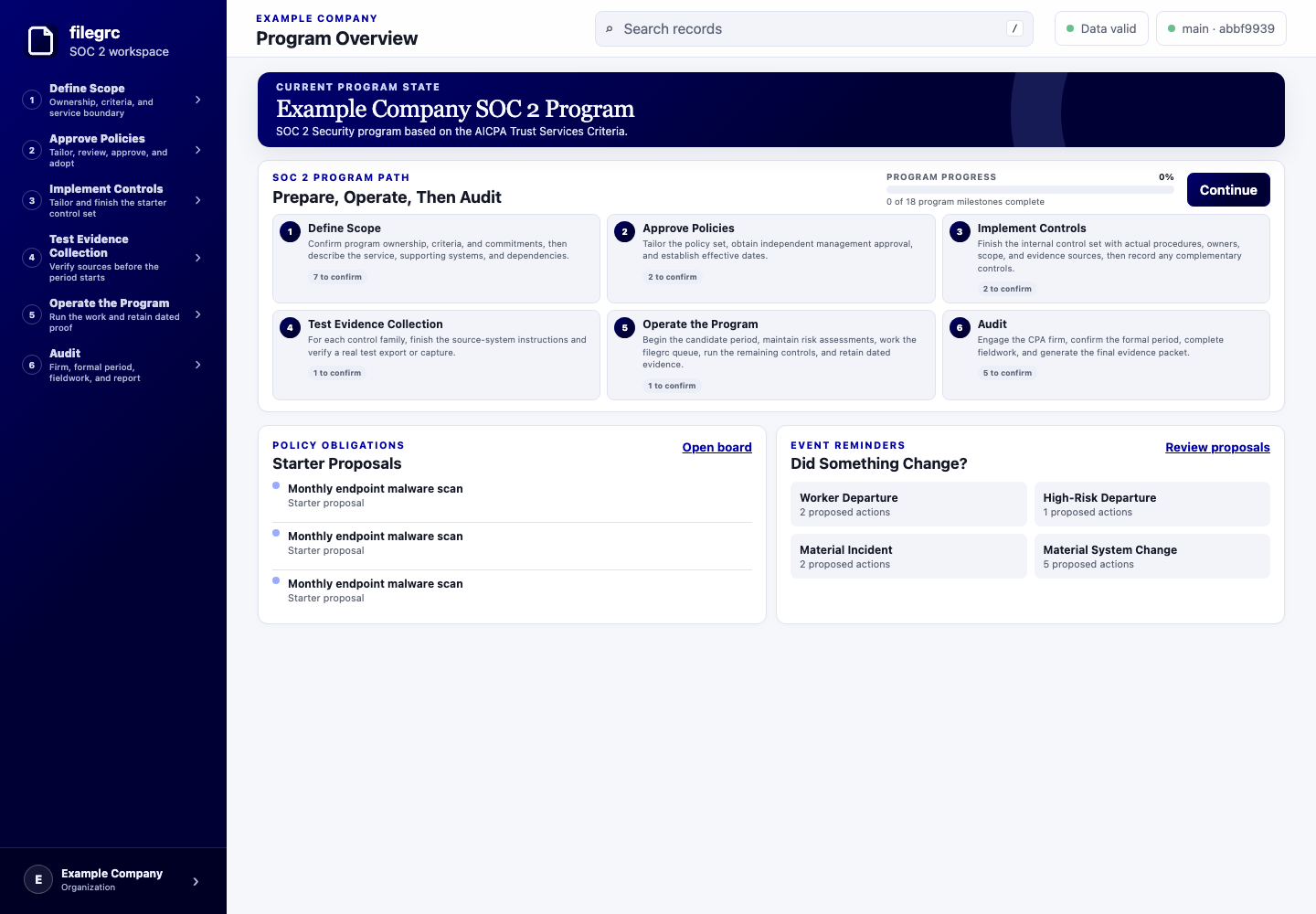
An agent with no FileGRC context can discover the model, inspect valid relationships, follow the same five steps and page instructions, create records, complete scheduled work, trigger Policy Events, and check the result without opening the renderer.
The browser and CLI call the same domain functions, so headless work gets the same validation and readiness calculations.
$ npx filegrc program-path --jsonFollow the same five-step path, instructions, and current status shown in the browser.
$ npx filegrc guide risk-assessment --jsonRead the exact Instructions, Use, and Policy Basis shown in the browser, plus fields and relationships.
$ npx filegrc scaffold risk-assessmentCreate the same validated JSON and Markdown shape used by the browser.
$ npx filegrc obligations --jsonSee upcoming, due, and overdue policy work.
$ npx filegrc trigger person-started --occurred-on 2026-07-25 --subject person-idAdd every required hiring task to the Work Queue in one validated write.
$ npx filegrc program-readiness --jsonCheck whether management can begin a reliable evidence period.
$ npx filegrc evidence-packet --audit audit-idBuild the scoped delivery from a clean Git revision.
Your source systems still operate controls. The independent CPA firm still tests them, judges the evidence, and issues the report.